# Ender 3 v2 screen Portrait/Landscape
**URL:** https://marlin.crc.id.au/forum/t/ender-3-v2-screen-portrait-landscape/956
**Category:** Support
**Created:** [8 June 2022 16:24 UTC](https://marlin.crc.id.au/forum/t/ender-3-v2-screen-portrait-landscape/956 "2022-06-08T16:24:49Z")
**Posts on this page:** 16
**Page:** 1
### Author:  [@S\_S](https://marlin.crc.id.au/forum/u/S_S)
#### Post date: [8 June 2022 16:24 UTC](https://marlin.crc.id.au/forum/t/ender-3-v2-screen-portrait-landscape/956/1 "2022-06-08T16:24:49Z")
I’ve just updated my two ender 3 v2’s to latests daily configs, both are BL touch, one is 4.2.2 and the other 4.2.7
I’ve also updated the screen firmware with the DWIN\_SET download.
The 4.2.7 gave me a landscape screen - I couldn’t see how to change this so printed a horizontal mount and now quite like the landscape view
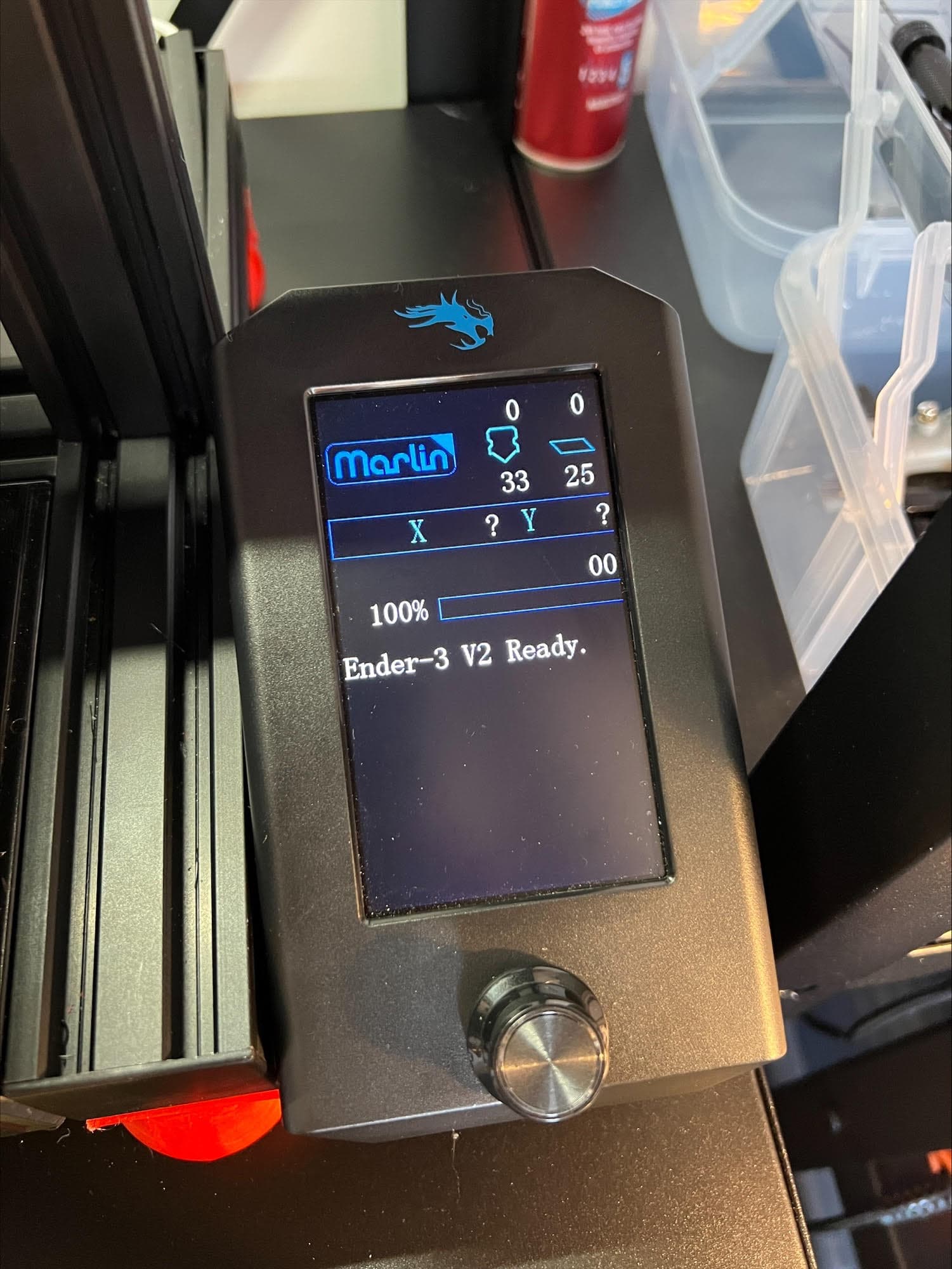
The 4.2.2 has given me a portrait view, but the information is only showing in the top 55mm of the screen, with some menu items appearing off screen. It’s as though the screen is running in landscape mode, but portrait orentation - is there a simple way to fix this?
---
### Author:  [@CRCinAU](https://marlin.crc.id.au/forum/u/CRCinAU)
#### Post date: [8 June 2022 23:34 UTC](https://marlin.crc.id.au/forum/t/ender-3-v2-screen-portrait-landscape/956/2 "2022-06-08T23:34:36Z")
That’s weird - but there’s been a lot of churn at the moment as we move to bugfix-2.1.x now…
I’ll try to take a look today and see if I can replicate the problem…
---
### Author:  [@CRCinAU](https://marlin.crc.id.au/forum/u/CRCinAU)
#### Post date: [8 June 2022 23:45 UTC](https://marlin.crc.id.au/forum/t/ender-3-v2-screen-portrait-landscape/956/3 "2022-06-08T23:45:11Z")
I just loaded `Ender3-V2-BLTouch-20220608.bin` on to my v4.2.2 Ender 3 V2 - and I can’t replicate your issue here.
Try a reformat of your SD Card, load the DWIN\_SET again, and then rename the firmware and try flashing again.
I didn’t update the DWIN\_SET on mine - but I’ll give that a go again too.
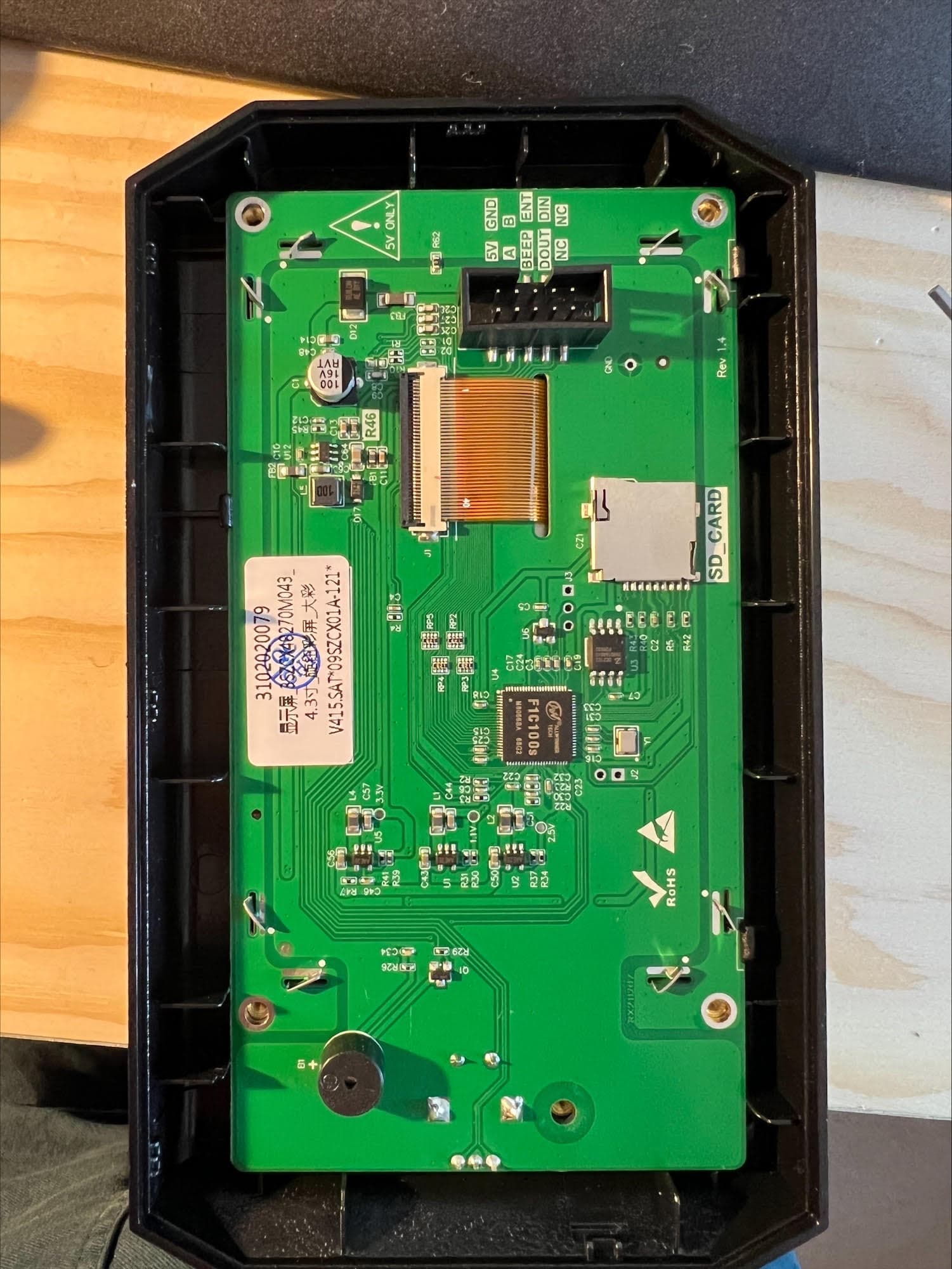
In case you have a different screen than me, try taking a photo of the back of the screen and posting it - apparently there are at least 3 different screens being supplied by Creality - all of which have their own quirks…
Oh, you can always try the MarlinUI version too - and see if that works correctly.
---
### Author:  [@S\_S](https://marlin.crc.id.au/forum/u/S_S)
#### Post date: [9 June 2022 08:11 UTC](https://marlin.crc.id.au/forum/t/ender-3-v2-screen-portrait-landscape/956/4 "2022-06-09T08:11:37Z")
Ok, I tried re flashing firmware on both screen and printer - same result.
I then plugged the screen in from the other printer - and it works as you would expect! So it’s definately to do with the screen it’s self.
---
### Author:  [@S\_S](https://marlin.crc.id.au/forum/u/S_S)
#### Post date: [9 June 2022 08:14 UTC](https://marlin.crc.id.au/forum/t/ender-3-v2-screen-portrait-landscape/956/5 "2022-06-09T08:14:04Z")
Photo of the output also
---
### Author:  [@CRCinAU](https://marlin.crc.id.au/forum/u/CRCinAU)
#### Post date: [9 June 2022 08:25 UTC](https://marlin.crc.id.au/forum/t/ender-3-v2-screen-portrait-landscape/956/6 "2022-06-09T08:25:34Z")
Interesting… Does the non-MarlinUI version also do the same and try to display in landscape instead of portrait mode?
Oh, and if you hit the button to go into the menu, does the menu draw in the correct orientation?
---
### Author:  [@CRCinAU](https://marlin.crc.id.au/forum/u/CRCinAU)
#### Post date: [9 June 2022 08:36 UTC](https://marlin.crc.id.au/forum/t/ender-3-v2-screen-portrait-landscape/956/7 "2022-06-09T08:36:47Z")
Ah - I think I might have found the problem… I’m running a new set of builds manually… Try grabbing the MarlinUI version again in ~25 minutes…
---
### Author:  [@S\_S](https://marlin.crc.id.au/forum/u/S_S)
#### Post date: [9 June 2022 08:41 UTC](https://marlin.crc.id.au/forum/t/ender-3-v2-screen-portrait-landscape/956/8 "2022-06-09T08:41:14Z")
You think it’s firmware not LCD firmware problem then? Wouldn’t that be weird considering my other LCD works fine?
---
### Author:  [@CRCinAU](https://marlin.crc.id.au/forum/u/CRCinAU)
#### Post date: [9 June 2022 08:46 UTC](https://marlin.crc.id.au/forum/t/ender-3-v2-screen-portrait-landscape/956/9 "2022-06-09T08:46:21Z")
Right now, I’m not sure - but it seems like two problems…
One that the default MarlinUI sample configuration seems to enable MarlinUI in Landscape mode - which is wrong.
>
But there may also be a problem with the rotation on that display… Hopefully, when this build finishes, you can test and see…
Sadly, Creality are cranking out different versions of the screen with different hardware, and all seem to have their own quirks…
---
### Author:  [@CRCinAU](https://marlin.crc.id.au/forum/u/CRCinAU)
#### Post date: [9 June 2022 08:55 UTC](https://marlin.crc.id.au/forum/t/ender-3-v2-screen-portrait-landscape/956/10 "2022-06-09T08:55:59Z")
Ok, new builds for today have been pushed… Grab the MarlinUI one and see if it displays properly on both screens…
It’ll be the same filename, so you’ll have to rename the new file for the printer to load it…
---
### Author:  [@S\_S](https://marlin.crc.id.au/forum/u/S_S)
#### Post date: [9 June 2022 09:04 UTC](https://marlin.crc.id.au/forum/t/ender-3-v2-screen-portrait-landscape/956/11 "2022-06-09T09:04:33Z")
Ok, will do, just need to let this print finish so won’t be for a couple of hours. But will report back (suspect you’ll be offline in Auz by then (I’m in the UK)
---
### Author:  [@S\_S](https://marlin.crc.id.au/forum/u/S_S)
#### Post date: [9 June 2022 09:05 UTC](https://marlin.crc.id.au/forum/t/ender-3-v2-screen-portrait-landscape/956/12 "2022-06-09T09:05:23Z")
Is the file name not different anyway, as it’s a different date?
---
### Author:  [@CRCinAU](https://marlin.crc.id.au/forum/u/CRCinAU)
#### Post date: [9 June 2022 09:20 UTC](https://marlin.crc.id.au/forum/t/ender-3-v2-screen-portrait-landscape/956/13 "2022-06-09T09:20:50Z")
Nah - filename is the same as the date is based on Aussie time 😃
---
### Author:  [@S\_S](https://marlin.crc.id.au/forum/u/S_S)
#### Post date: [9 June 2022 11:50 UTC](https://marlin.crc.id.au/forum/t/ender-3-v2-screen-portrait-landscape/956/14 "2022-06-09T11:50:54Z")
I couldn’t get the 20220608 to load - but the 20220609 was there and that’s solved the problem
Worth noting the 4.2.7 is defaulting to landscape also
Thanks!
---
### Author:  [@CRCinAU](https://marlin.crc.id.au/forum/u/CRCinAU)
#### Post date: [9 June 2022 12:10 UTC](https://marlin.crc.id.au/forum/t/ender-3-v2-screen-portrait-landscape/956/15 "2022-06-09T12:10:46Z")
> [@S\_S](#):
>
> Worth noting the 4.2.7 is defaulting to landscape also
Yep - the change I made should affect all printers with the DWIN based screen for MarlinUI.
---
### Author:  [@CRCinAU](https://marlin.crc.id.au/forum/u/CRCinAU)
#### Post date: [31 July 2022 02:43 UTC](https://marlin.crc.id.au/forum/t/ender-3-v2-screen-portrait-landscape/956/16 "2022-07-31T02:43:22Z")
A post was merged into an existing topic: [Ender 3 V2 Stock Display Icons Missing after Firmware Upgrade](https://marlin.crc.id.au/t/ender-3-v2-stock-display-icons-missing-after-firmware-upgrade/197/55)